

Using the Mock URL in Your Application
Contents
- How it works
- Configuring your application
- Copying the curl command from the UI
- Request headers understood by the mock server
- Supported HTTP methods
- Docker and network access
How it works
Every mock server gets a base URL of the form:
http://<host>:<port>/mock/<mockServerId>Point your application's HTTP client at this URL instead of the real API. All requests are routed to the mock server, matched against your OpenAPI spec, and answered with the active variant for that operation.
You don't need a client to try it. Each mock server's Endpoints tab lists every operation from the spec and sends a real request against the mock:
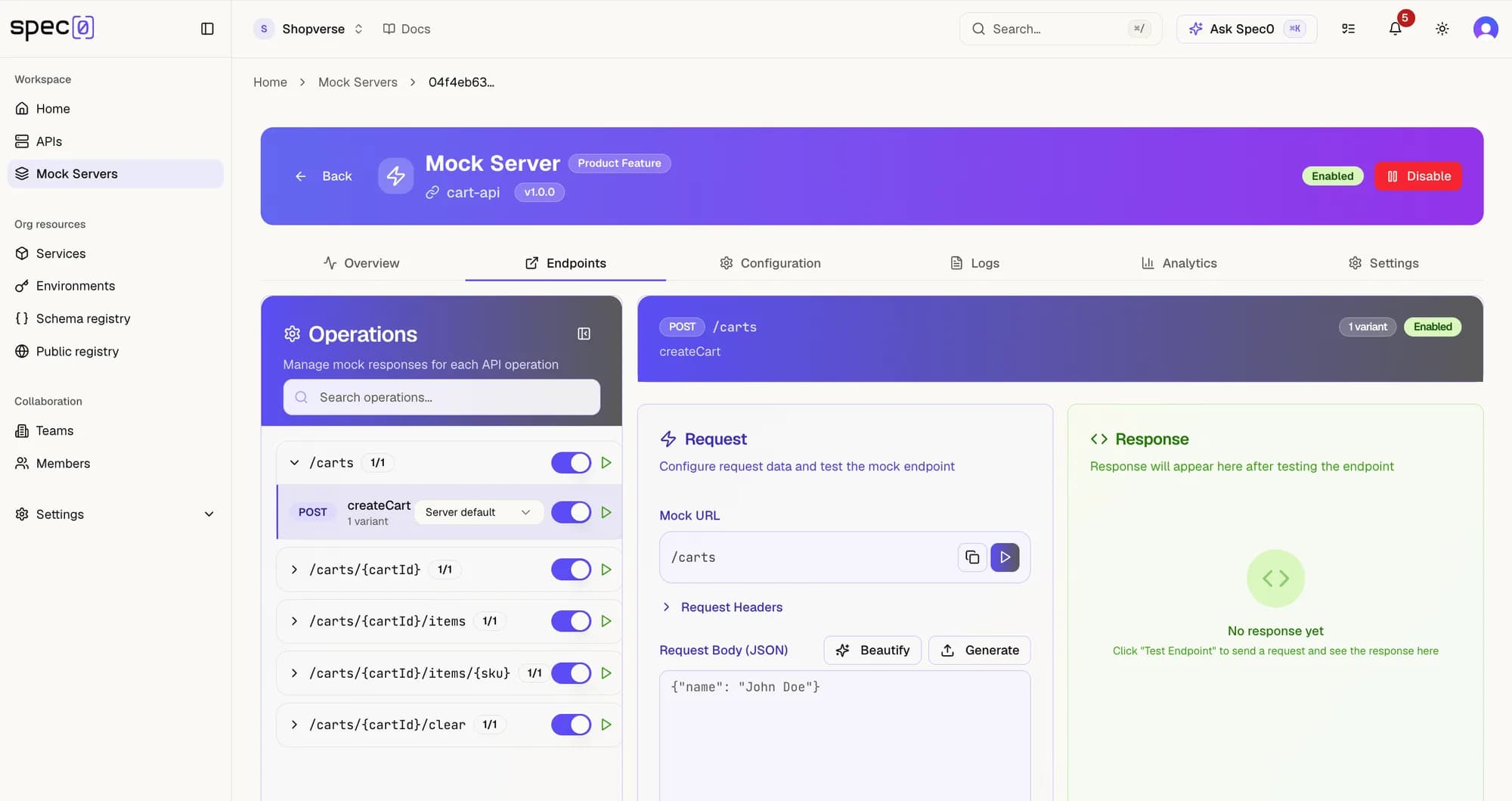
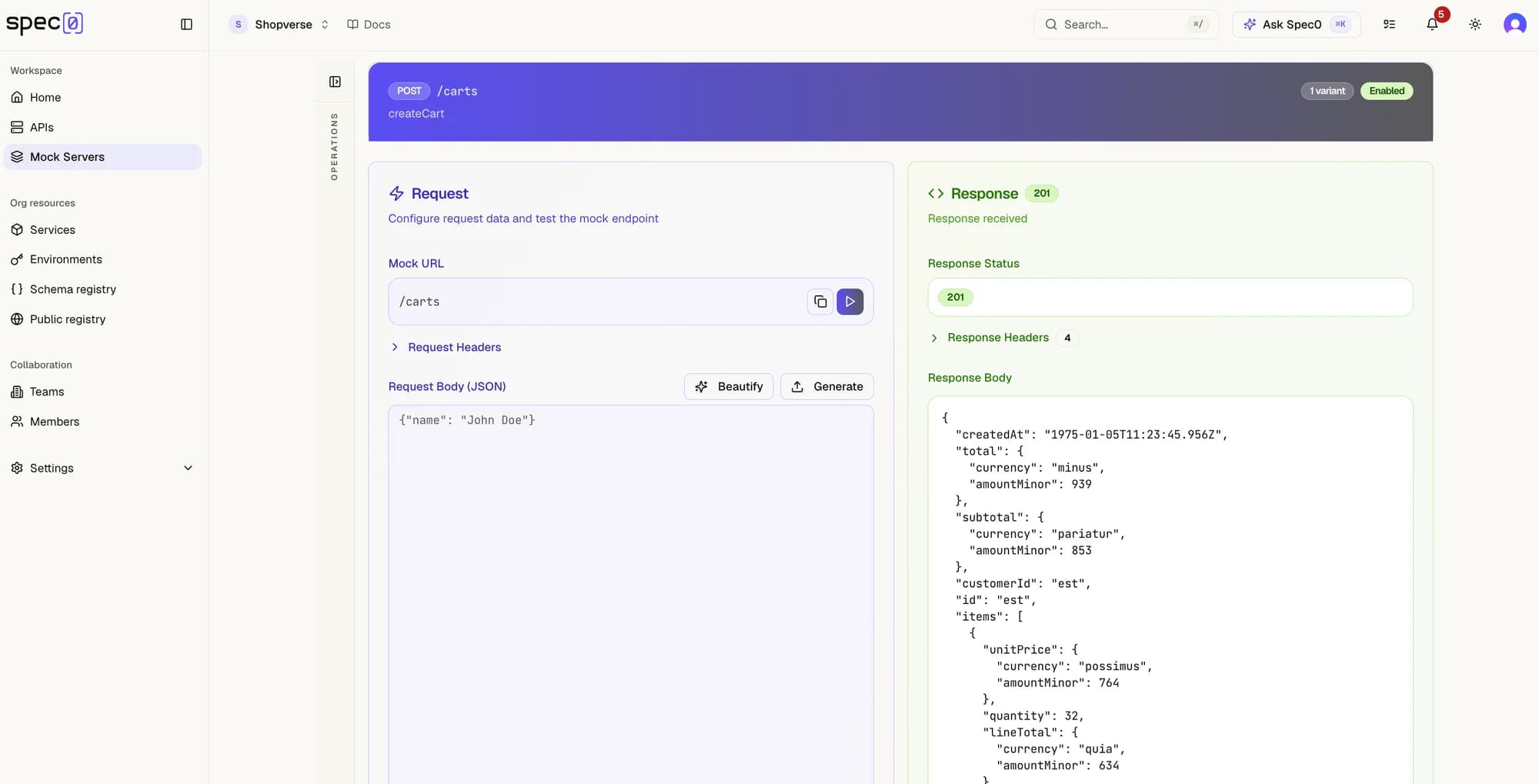
For a mock server running locally:
Base URL:  http://localhost:8080/mock/550e8400-e29b-41d4-a716-446655440000

GET /users/123  →  GET http://localhost:8080/mock/550e8400-e29b-41d4-a716-446655440000/users/123
POST /orders    →  POST http://localhost:8080/mock/550e8400-e29b-41d4-a716-446655440000/orders
The mock server extracts path parameters, matches the operation from your spec, selects a variant based on the current strategy, and returns the response.
Configuring your application
Set the API base URL in your application's configuration. No other changes are needed — the mock server accepts all HTTP methods and passes through path parameters, query parameters, headers, and request bodies exactly as sent.
# Environment variable
API_BASE_URL=http://localhost:8080/mock/550e8400-e29b-41d4-a716-446655440000
// JavaScript / TypeScript
const client = new ApiClient({
baseUrl: 'http://localhost:8080/mock/550e8400-e29b-41d4-a716-446655440000',
});# Python
client = ApiClient(base_url="http://localhost:8080/mock/550e8400-e29b-41d4-a716-446655440000")Copying the curl command from the UI
The Endpoints tab includes a built-in request builder for each operation. After filling in parameters and a request body:
- Click Send to fire the request directly from the browser.
- Click the copy curl button (terminal icon, next to Send) to copy the equivalent
curlcommand to your clipboard.
The generated command mirrors the exact request the UI sends:
curl -sS -X POST \
  'http://localhost:8080/mock/550e8400-e29b-41d4-a716-446655440000/users' \
  -H 'Content-Type: application/json' \
  -H 'X-Mock-Operation-Id: createUser' \
  -d '{"name":"Alice","email":"alice@example.com"}'
It includes the full mock URL, Content-Type, the X-Mock-Operation-Id header for unambiguous operation matching, any custom headers you added in the builder, and the request body for POST / PUT / PATCH / DELETE requests.
Paste the copied command directly into a terminal or into your integration test setup as a baseline request.
Request headers understood by the mock server
| Header | Effect |
|---|---|
X-Mock-Operation-Id | Skip path matching and resolve this operationId directly. Useful when multiple paths could match. |
X-spec0-Preferred-Response-Code | Return the first variant with this status code, bypassing the active strategy. E.g. 404 to force an error response. |
Supported HTTP methods
The mock server handles all standard HTTP methods on every operation path:
GET · POST · PUT · PATCH · DELETE · OPTIONS
Docker and network access
When the mock server runs in Docker and your application runs in a different context, use the appropriate address:
| Setup | Base URL to use |
|---|---|
| Both on host | http://localhost:8080/mock/{mockServerId} |
| App in Docker, mock on host (macOS/Windows) | http://host.docker.internal:8080/mock/{mockServerId} |
| Both in same Docker Compose network | http://mock-server:8080/mock/{mockServerId} |
See also
- Variants & Response Strategies — controlling which response your app receives
- Request Logs — inspecting what the mock server received and returned
- ← Documentation index