

Local mock servers
Run a mock of any API in your library on your computer, in one click, with no account and no network.
A local mock is a mock server that runs on your computer, inside Studio. It answers every operation in the spec, needs no account and no network, and stops when Studio quits.
Start a local mock
Press Local mock in the bar of an open API, on the API's card in the library, or in the Mocks tab under On this computer.
The mock gets its own address, starting at http://127.0.0.1:4010. While it runs:
- the API bar shows its address with a green dot, and a button to stop it
- the address bar's target menu offers Local mock · 127.0.0.1:4010
- the Mocks tab shows a green dot
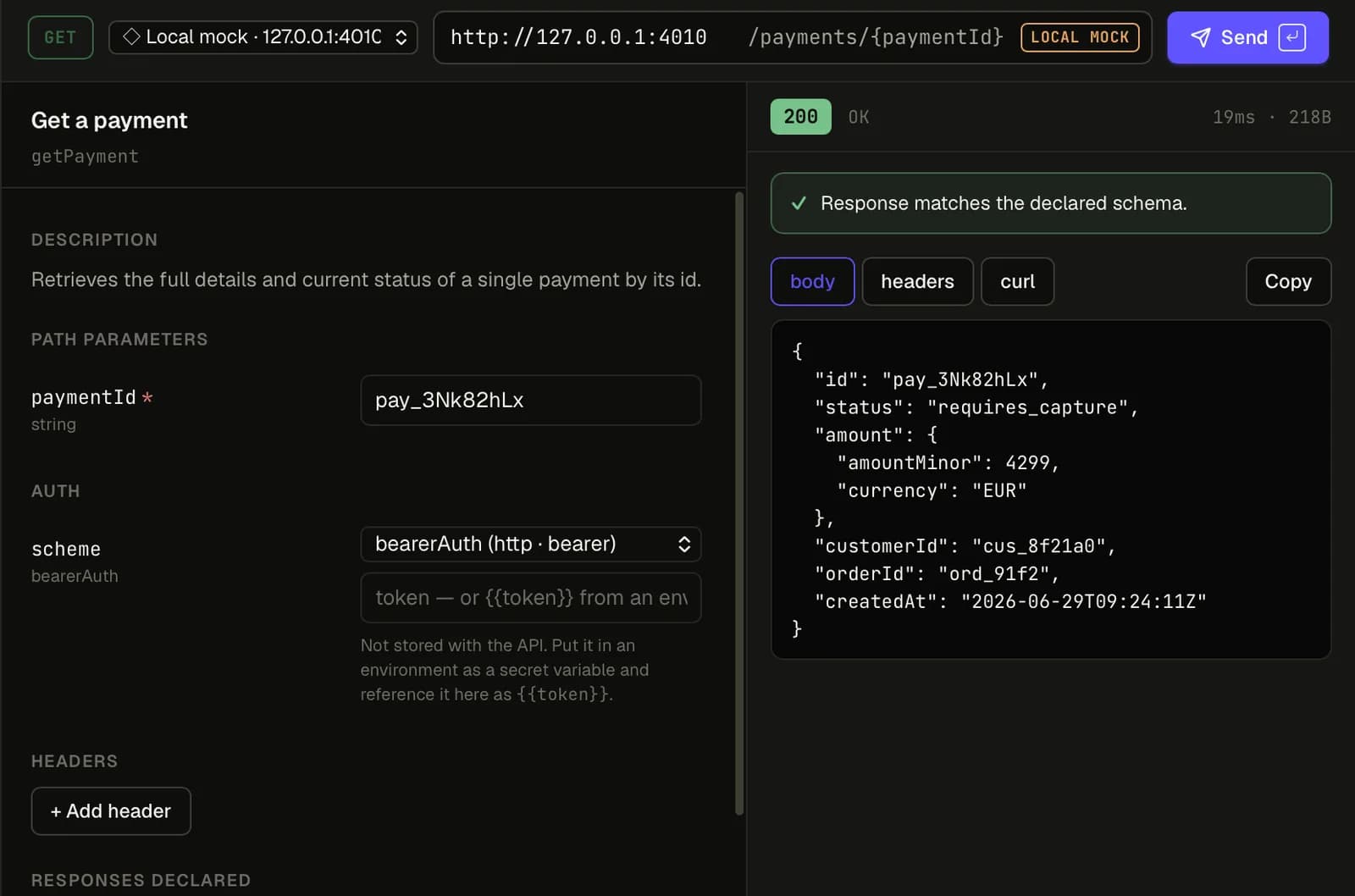
Several APIs can each run a mock at once. Nothing starts by itself, and every local mock stops when you stop it or quit Studio.
Call it from anywhere on your computer
A local mock is an ordinary HTTP server, so curl, a test suite or your app can call it:
curl -i http://127.0.0.1:4010/ordersThe operation is found from the method and path, with or without the spec's base path. For a server
of https://api.example.com/v1, both /orders and /v1/orders work.
What it answers
By default, a local mock answers with the lowest 2xx response the spec declares for the operation,
with the Content-Type the spec gives. The body is the response's example, then the schema's
example, then a value built from the schema.
To ask for something else:
| To get | Send |
|---|---|
| A different status | Prefer: code=404, X-Mock-Status: 404, or ?__status=404 |
| A named example | Prefer: example=paid |
curl -i http://127.0.0.1:4010/orders/123 -H "Prefer: code=404"- An unknown path gets a
404that lists the closest operations. - A method the path doesn't take gets a
405with anAllowheader.
Requests that don't match the spec
A request with a missing required parameter, a value of the wrong type, or a body that doesn't fit
the schema still gets an answer. The problems are listed in the X-Spec0-Mock-Warnings response
header, and in the console.
To reject those requests instead, choose Answer 400 with the problems in the Mocks tab, under On this computer.
Calling it from a web page
A frontend served from localhost or 127.0.0.1, on any port, can call a local mock from the
browser. Studio answers the CORS preflight and adds the CORS headers.
Requests from any other website are refused, so a page you have open in your browser can't read your specs through the mock.
Ports
Each API's mock gets a port from 4010 to 4099. If 4010 is taken, Studio uses the next free
one. An API keeps its port the next time you start its mock, so your frontend's settings keep
working. If every port in that range is in use, Studio says so; stop another mock or free a port.
Good to know
- A local mock answers from examples, not from state. A
POSTdoesn't change what the nextGETreturns. - XML responses are sent as JSON.
- It listens on
127.0.0.1only, so other computers on your network can't reach it. To share a mock, use a hosted mock.