

Studio
A free, open source desktop app for calling and testing APIs, built around your OpenAPI spec. Works with no account.
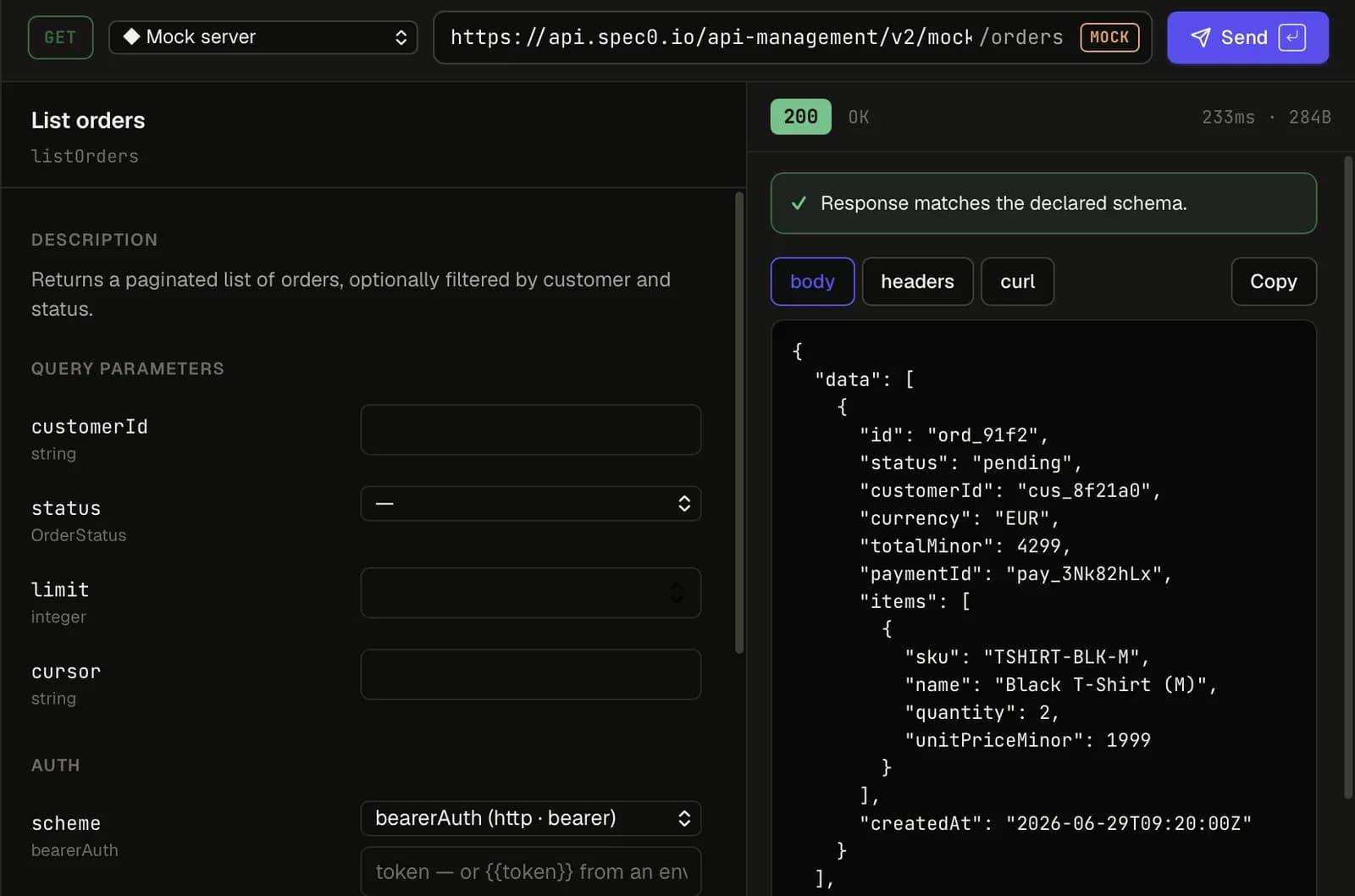
Spec0 Studio is a desktop app for calling and testing APIs, built around your OpenAPI spec. It runs on macOS, Windows and Linux, it's free and open source (MIT), and it works with no account.
Who it's for
Developers who already have an OpenAPI spec: the YAML or JSON file that describes an API. You open the spec, Studio builds the requests from it, and it checks each JSON response against what the spec says. When the API and its spec drift apart, you see it the moment it happens.
What you can do
| Task | How Studio helps |
|---|---|
| Send requests | Forms come from the spec: real field names, dropdowns for allowed values, bodies filled in. See Sending requests. |
| Check responses | Each JSON response is checked against the schema for its status code, including fields the spec never mentions. See Checking responses. |
| Read the data model | Browse schemas, and see how they link as a graph. |
| Run flows across APIs | A collection runs steps in order, passes values between them, and checks every step against its own spec. |
| Mock an API | Start a local mock of any spec in one click, or share a hosted mock with your team. |
| Help your coding agent | A local MCP server lets agents like Claude Code or Cursor read the APIs you have open. |
Try it in three minutes
Install Studio. Download it for your system from the install page and open it.
Add an API. Press ⌘O (Ctrl+O on Windows and Linux), choose URL, and paste the
address of the public Swagger Petstore spec:
https://petstore3.swagger.io/api/v3/openapi.jsonSend a request. Pick GET /pet/findByStatus in the list, choose a status, and press ⌘↵
(Ctrl+Enter). The response appears on the right, with the result of the schema check above it.
Your first request walks through the same steps in more detail.
Works with no account
Everything in Studio works with no sign-in and no call to Spec0, except the few things that live on Spec0 itself: hosted mocks, your organisation's catalog, and publishing a spec. That includes collections, local mocks, history, environments and secrets, and the local MCP server. Once an API is in your library, it opens with no network at all.
Studio sends no telemetry, analytics or crash reports. See Privacy and security.
If your team uses Spec0, signing in adds your organisation's APIs, their environments, and hosted mocks. Signing out takes nothing away.
How it differs from other API clients
If you use Postman, Insomnia, Bruno or Yaak:
- It starts from the spec. Requests are built from the spec, not from a copy you keep alongside it. A collection's steps point at operations in your specs instead of copying them.
- It checks responses against the spec. Other clients show you the response. Studio also tells you whether it matches the contract.
- It's younger and does less. There are no scripts, no shared team workspace, and no gRPC or WebSocket support. Studio can import a Postman collection, but it doesn't run its scripts.
Finding your way around
The top bar has five tabs: APIs (your library and the API you have open), Collections,
History, Mocks and MCP. On the right are the environment picker, a chip that says
whether you're Local or Signed in, and Settings (⌘,).
When an API is open, a bar under it has its name and version, four views (Operations,
Schemas, Graph, Document, on ⌘1 to ⌘4), and buttons for Local mock,
Create mock, Run and Add API. Under that is a strip of request tabs.
The status bar at the bottom shows counts for the open API and the Console button (Console and logs).
Open source
Studio is developed in the open at github.com/spec-0/studio. Questions and ideas go in Discussions, and bugs in Issues. The repository also explains how to build Studio from source.