

Passing values between steps
Use a value from one step's response in a later step, see every link in the Chain view, and fix links that break.
A later step can take a value from an earlier step's response, such as the id of the order that step 1 created. This is called a link. This page covers adding links, reading them in the Chain view, and fixing broken ones.
Add a link
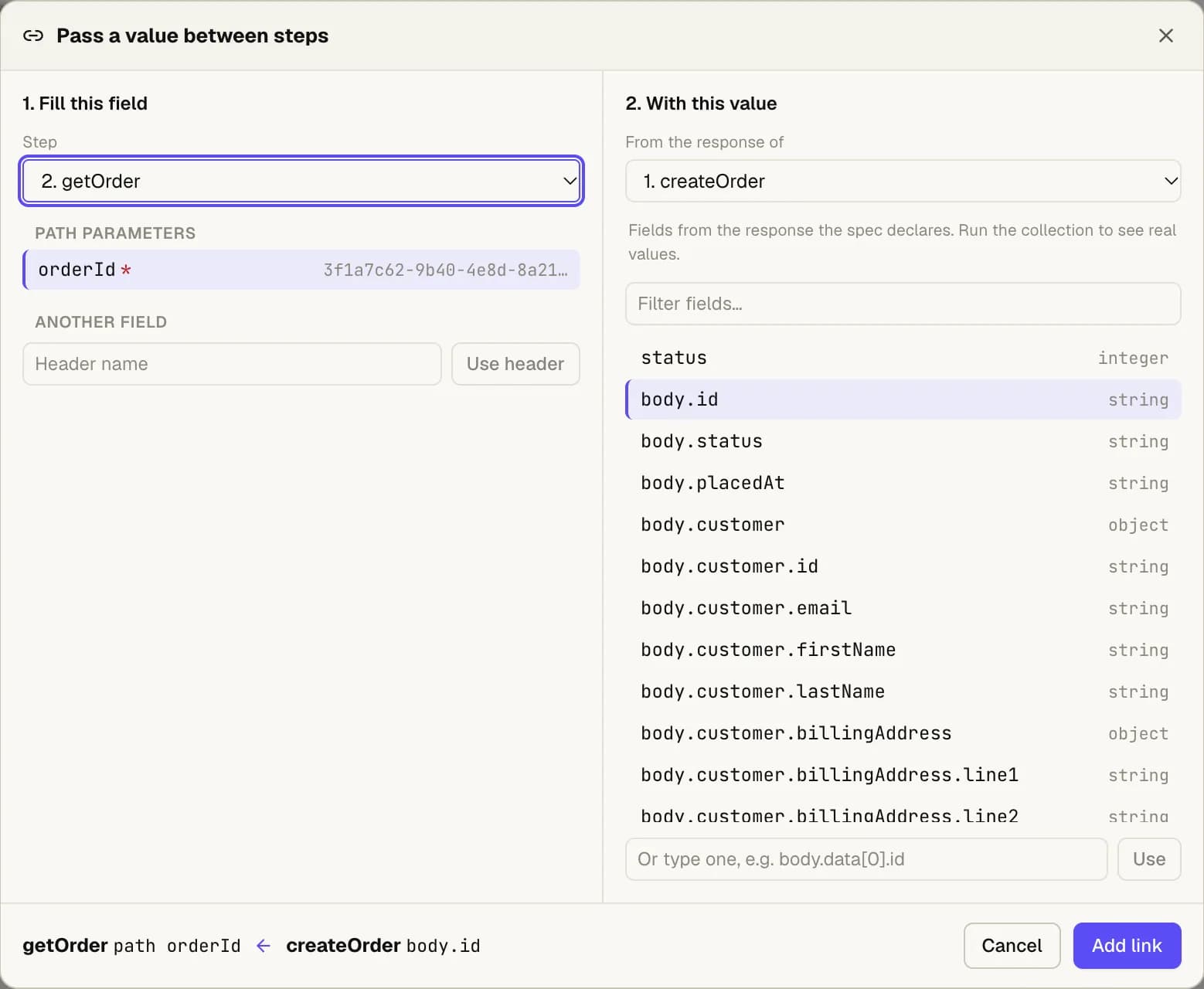
There are four ways in. They all open the same dialog, Pass a value between steps.
- From a field. In a step's request, press the link button next to a parameter or header.
- From a body. Under a JSON body, choose Take a body field from an earlier step.
- From a response. In a step's Response, click a value and choose Use in a later step.
- From the Chain view. Press Add link.
In the dialog:
Fill this field. Choose the step, then the field to fill: a path or query parameter, a header,
a field inside the JSON body (such as items[0].sku), or a form field.
With this value. Choose an earlier step, then a value from its response. After a run, the list
shows the real values from the last response. Before any run, it lists the fields the spec
declares. You can also type a path, such as body.data[0].id.
Check the sentence at the bottom, which says what will happen, and press Add link.
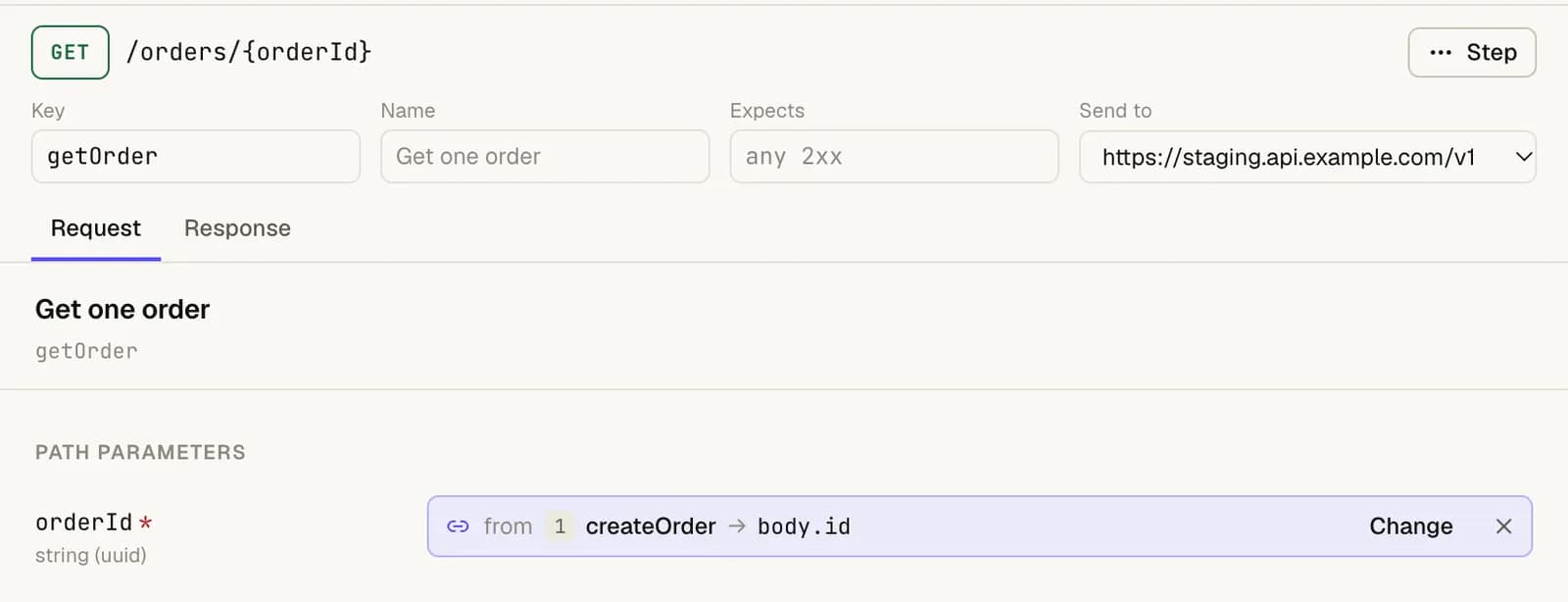
A linked field then shows where its value comes from, instead of the value. Change picks another value, and × removes the link.
References
In the step's inputs, and in the collection file, a link is a reference like this:
{{steps.createOrder.body.id}}createOrder is the earlier step's Key. After it comes status, body. and a path into the
JSON body, or headers. and a header name. You can type a reference by hand; it works the same as
one made in the dialog.
In a JSON body, a link to a string is written in quotes, and a link to a number or an object is written bare, going by the type the spec gives the field.
Environment variables ({{token}}) still work alongside links.
The Chain view
Choose Chain in the collection header to see every link at once. Each step is a card that lists what it gives (fields later steps use) and what it takes (fields filled from earlier steps). A line runs from each value to the field it fills.
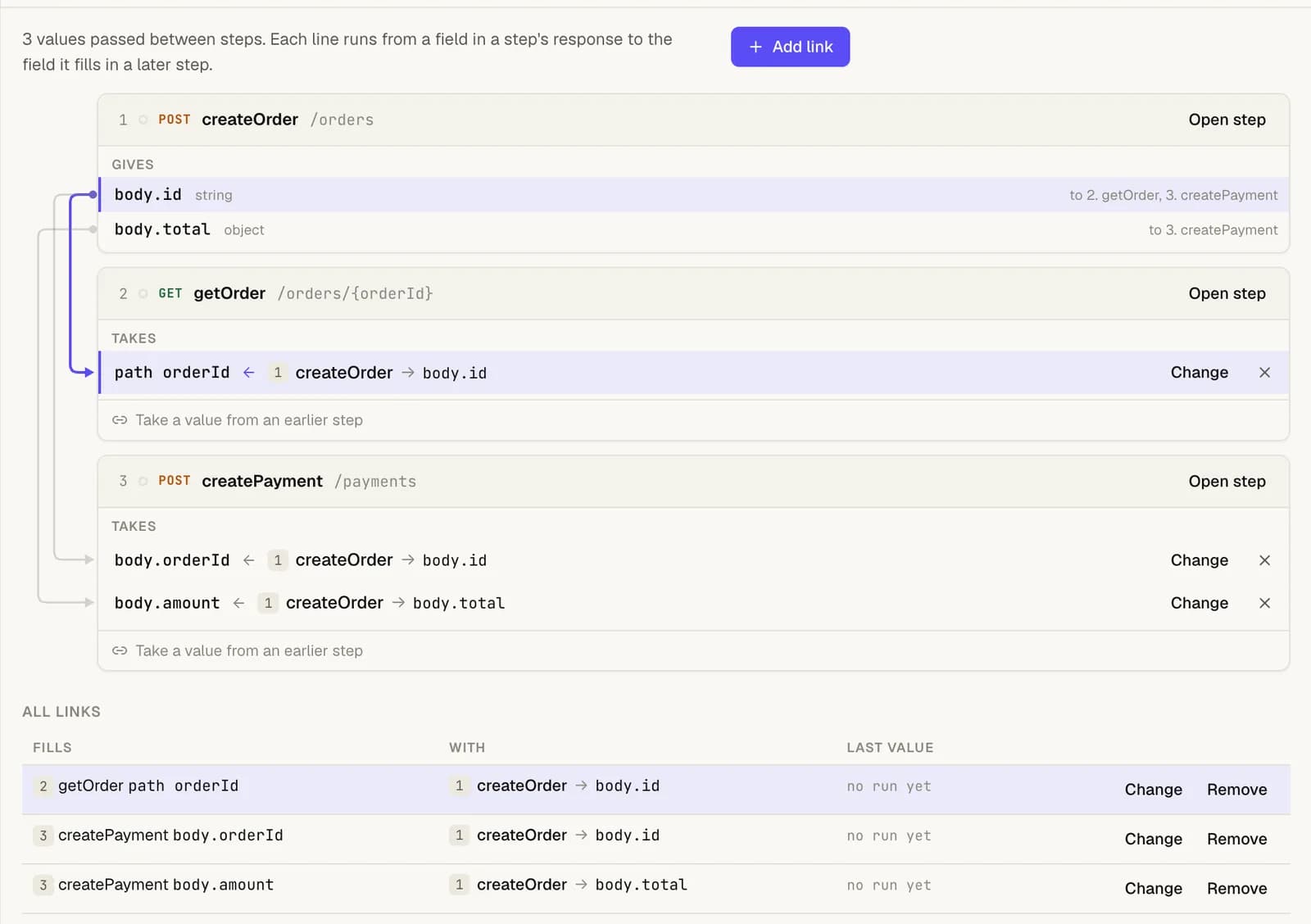
All links under the cards lists every link as a row, with Change and Remove. After a run, each link shows the value it passed (secret values are hidden), so you can see what actually went from step to step.
Broken links
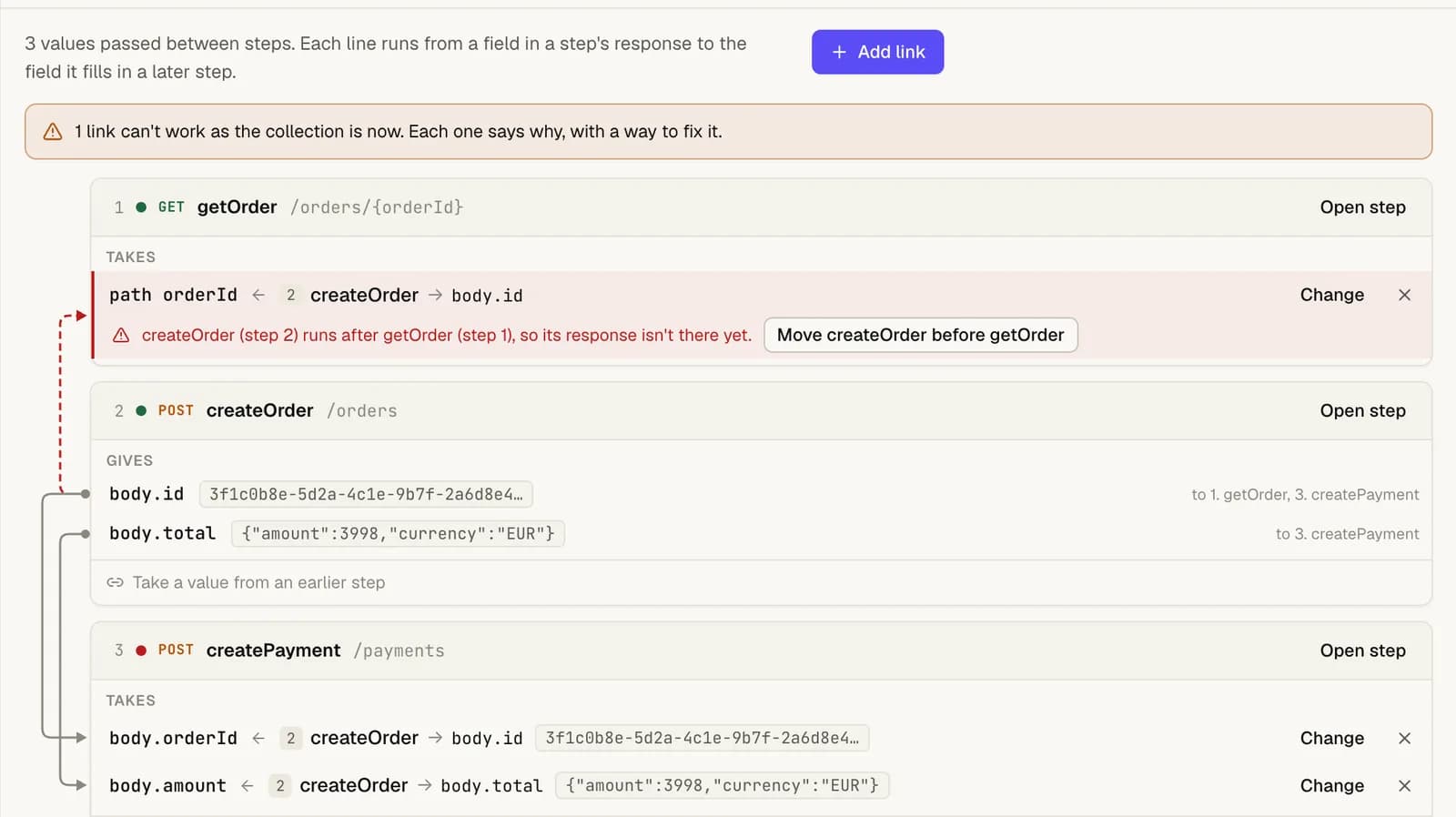
A link that can't work is shown in red, with the reason and a fix:
| Reason | Fix |
|---|---|
| The step it takes a value from was removed. | Choose another value. |
| The step it takes a value from now runs at or after the step that uses it. | Move that step back, in one click. |
| The field wasn't in that step's last response. | Choose another value. |
The step list also marks steps that have a broken link. Before a run, a field the spec doesn't declare, or a response header, is marked as not checked yet rather than as broken.
Good to know
- A reference that can't be filled when the collection runs fails its step before anything is sent, and the run log says which one.
- A body that isn't valid JSON is never rewritten by a link. The step says so instead.