

Running a collection
Run a collection's steps in order, test failure cases with an expected status, and read the run log.
This page covers running a collection, what makes a step pass, and the run log that records each run.
Run it
Press Run in the collection header. Studio sends the steps one at a time, in order, using the active environment.
- Stop at first failure is on by default: the first failing step ends the run, and the steps after it are marked as not run. Untick it to run every step whatever happens.
- A step passes when its status is the one it expects, and its response matches what its spec declares for that status.
- The whole run is one entry in History, with its steps inside it.
The header then shows the last run's result, such as "Last run: 2 passed · 1 failed · 9 ms".
Expected status
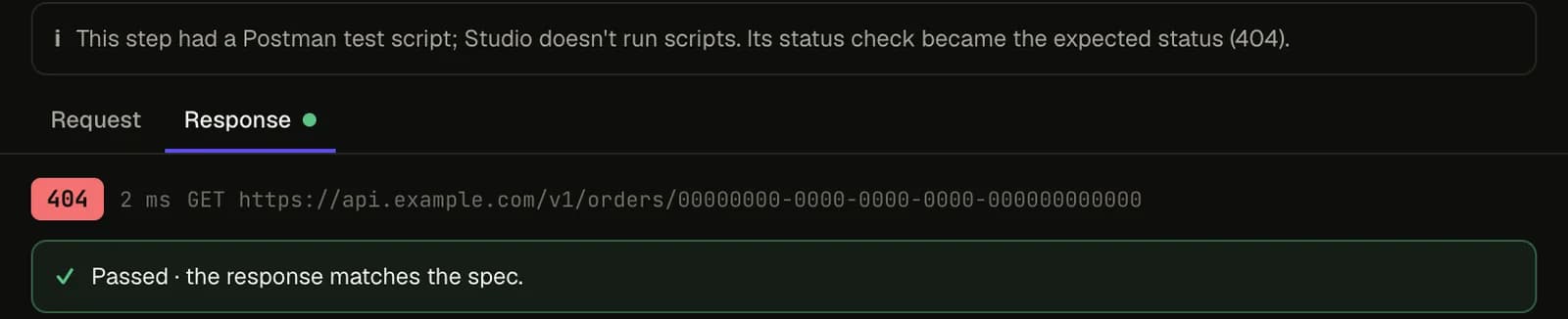
A step expects any 2xx unless you say otherwise. To test a failure case, such as getting a deleted order or paying twice, set the step's Expects field:
| Expects | Passes when the status is |
|---|---|
| (empty) | any 2xx |
404 | exactly 404 |
4XX | any 4xx |
The step also checks the response against what the spec declares for that status, such as an error
schema for 404. If the spec declares nothing for it, the step passes on the status alone and says
the body wasn't checked. A step with a non-default expectation shows it in the list ("expects 404").
Good to know
With nothing set, a 3xx fails. Studio follows redirects, so a 3xx rarely reaches a step.
The run log
Choose Runs in the collection header. It lists the collection's last 20 runs; select one to see its log.
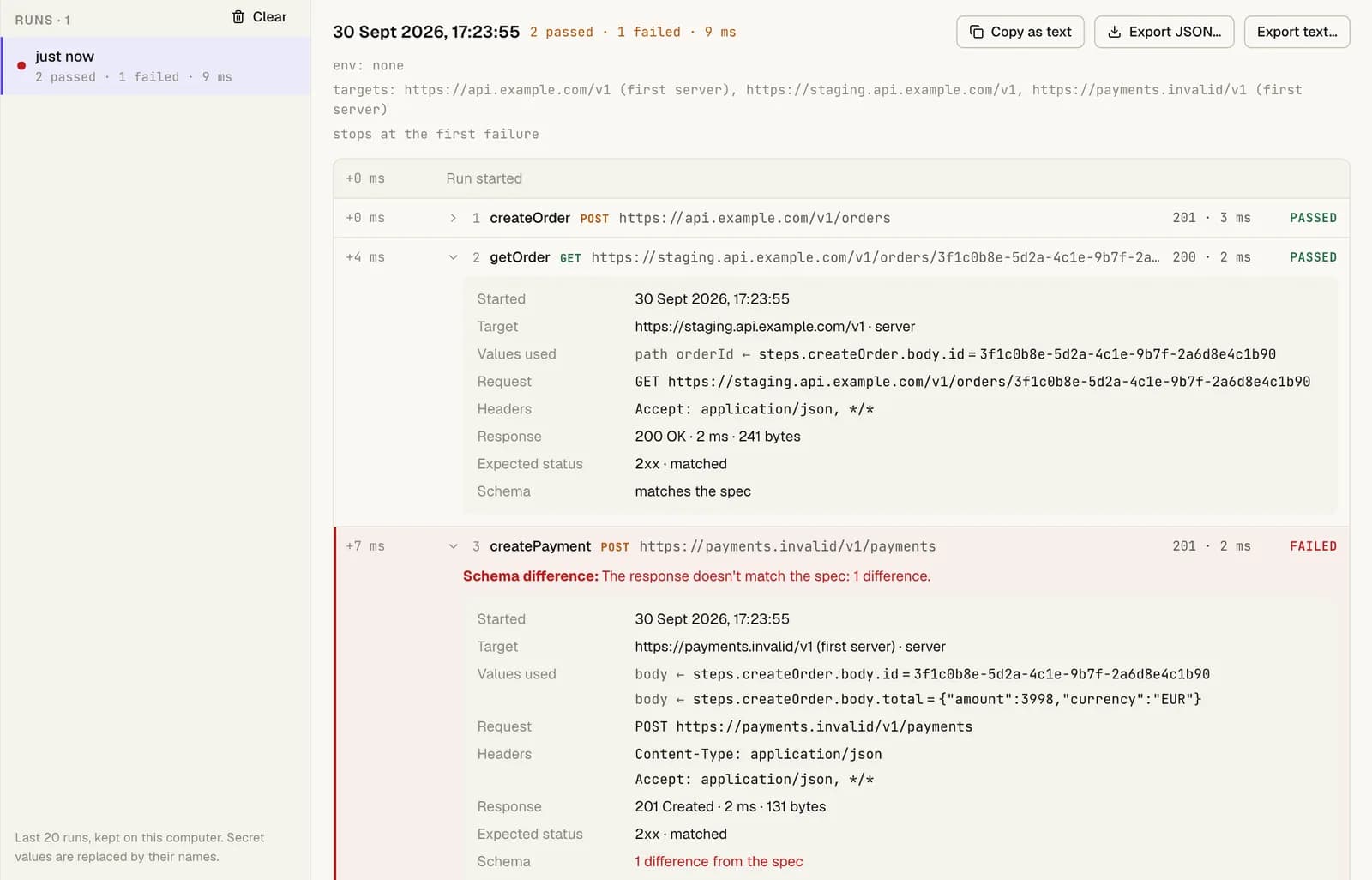
For each step, the log shows:
- when it started, its method, URL and target
- the status, time and size of the response, and warnings from a local mock
- the expected status, and the schema check
- the values it took from earlier steps, and the value each one had, or why it couldn't be found
- whether it passed
A failed step says why: a network error, an unexpected status, a schema difference, or a value that couldn't be found. A step that didn't run says why it was skipped.
Copy as text copies the log. Export JSON… and Export text… save it to a file. Clear removes the collection's runs.
Good to know
- Run logs are kept on your computer, next to Studio's other data: the last 20 runs per collection. They're never sent anywhere.
- Secret values are replaced by their
{{name}}in the log and in exports, including secrets you add to an environment after the run. - Every run also appears in the console, with a link to its log.